
 Taking attendance on the SMART Board has never been so much fun…and educational.
To take attendance, students go to the Smartboard and touch on the pumpkin located below their name. A smiling pumpkin will appear and it will greet the student with a cheerful “hello” using a different language.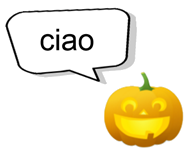
The activity contains “hello” in 17 different languages. To find out what language the pumpkin is using, students touch on their name or in the space just below their pumpkin.
Customizing the Attendance page with the names of your students is extremely easy and only takes a few minutes. Instructions are contained in the file.
Click the Download Button below to download the Smart Notebook file to your computer.
Please feel free to share with your fellow teachers!
Sharing Is Caring!
wow thank you so much for all the many tools you share! It really helps bring the fun into teaching!